
How to Create Viral UGC Ads with Sora 2 (Step-by-Step Guide)
A few months ago, I was trying to create a simple UGC-style ad for a product launch.
Normally, that process is expensive. You need creators, filming, editing, and multiple revisions. Even a short 15-second ad can take days or weeks to produce.
Then I started experimenting with Sora 2.
What surprised me wasn’t just the quality of the videos — it was how quickly I could generate completely different ad ideas.
Within an hour, I had several variations of a UGC-style ad ready to test.
But I also discovered something important: great AI ads don’t come from pressing a single button.
There’s actually a simple workflow that makes AI-generated ads much more effective.
In this guide, I’ll show you exactly how to create viral UGC ads with Sora 2 step-by-step — including how to generate prompts, create the video, and optimize the final ad so it looks much more professional.
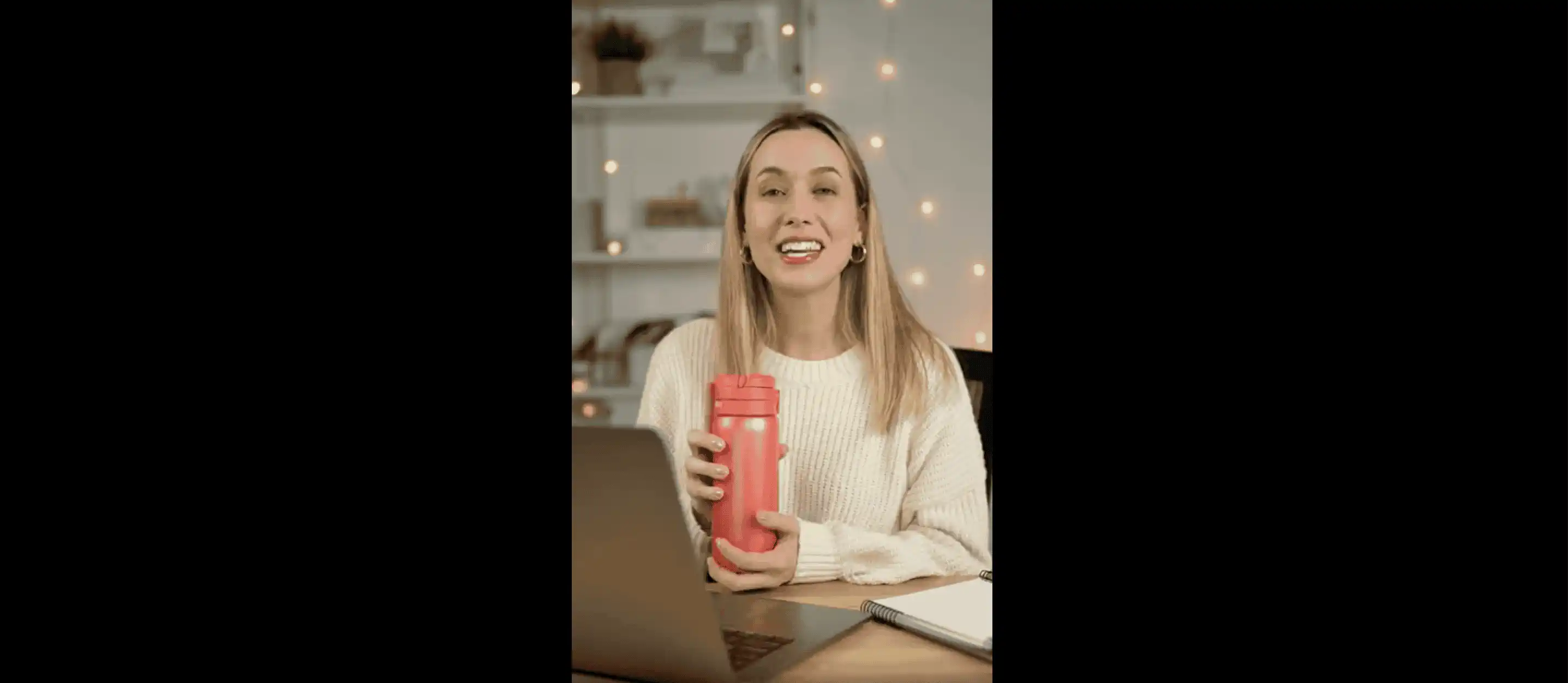
Why AI UGC Ads Are Dominating Modern Marketing
If you spend any time on TikTok, Instagram Reels, or YouTube Shorts, you’ve probably noticed something interesting.
The ads that perform best don’t look like ads anymore.
They look like normal creator content.
This is exactly what UGC ads (User Generated Content ads) are designed to do.
Instead of polished studio commercials, UGC ads mimic the style of everyday creators:
- casual camera angles
- natural lighting
- authentic reactions
- short-form storytelling
And the reason they work so well is simple: they feel real.
When I first started testing UGC-style ads, I noticed something surprising.
Videos that looked less produced often performed better than highly polished commercials.
Why?
Because viewers trust content that feels native to the platform.
For marketers, this creates a huge opportunity.
Instead of spending thousands of dollars on production, brands can now test dozens of ad ideas quickly using AI video tools like Sora 2.
That means:
- faster creative testing
- lower production costs
- more ad variations
- quicker campaign optimization
And this is exactly why AI-generated UGC ads are becoming such a powerful tool for modern marketing teams.
The Simple 4-Step Workflow for Creating UGC Ads with Sora 2
Creating a viral AI UGC ad usually follows a simple workflow.
In practice, most creators follow four steps:
- Prepare product images
- Generate the right prompt
- Create the Sora 2 video
- Optimize and polish the final ad
Let’s break each step down.
1. Prepare High-Quality Product Images
The first step is preparing your product visuals.
In my experience, Sora 2 produces much better results when it has strong visual references.
That means using clear product photos rather than relying entirely on text prompts.
For example:
- product packaging shots
- lifestyle photos
- product-in-use images
- before-and-after visuals
If you're creating ads for ecommerce products, images that show how the product is actually used tend to work best.
A simple rule I follow is this:
If your product image looks good in a social media post, it will usually work well in an AI video too.
Once your product visuals are ready, the next step is creating a strong prompt.
2. Generate the Right Sora 2 Prompt
The prompt is the creative engine behind every AI-generated ad.
When I first started experimenting with Sora 2, I made the same mistake most beginners make: I wrote prompts that were too vague.
Something like:
“Create a product advertisement video.”
The results were… not great.
What works much better is describing the scene clearly — who is in the video, what they are doing, and how the product appears.
A good UGC ad prompt usually includes three elements:
- the creator or actor
- the environment
- the product interaction
For example:
A casual handheld vertical video of a young content creator applying a skincare cream in a bright bedroom setup, natural lighting, speaking directly to the camera in a TikTok-style UGC ad.
If you’re not sure how to structure your prompt, you can use a dedicated prompt generator.
👉 Generate optimized prompts here: Sora 2 Prompt Generator
This tool helps you quickly create prompts designed specifically for advertising scenes, UGC-style videos, and product demonstrations.
Once your prompt is ready, you can generate the video.
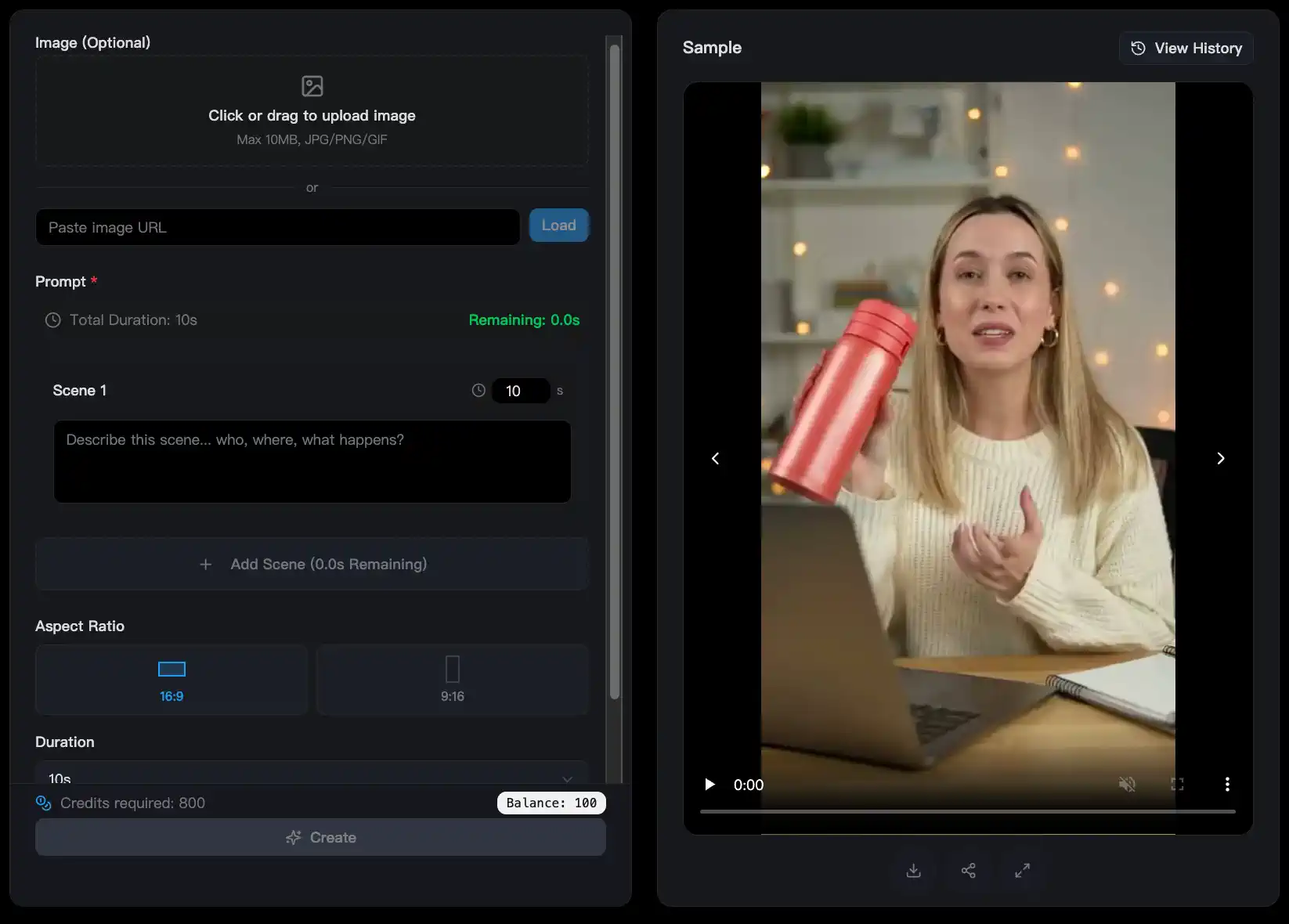
3. Generate the Sora 2 Video
With your prompt ready, the next step is generating the video.
There are two ways you can create your Sora 2 ad depending on how much control you want over the scene.
Option 1: Fast AI Video Generation (Best for Quick Ads)
If you want to generate a simple ad quickly, you can use the Sora 2 AI video generator.
This allows you to create 15-second videos without watermarks, which is perfect for testing ad concepts and producing short-form social media creatives.
👉 Create a Sora 2 video: Sora 2 AI Video Generator
This is usually the fastest way to experiment with different hooks and creative ideas.
Option 2: Use Storyboards for Better Scene Control
If you want more control over the structure of your ad, storyboard workflows work much better.
Storyboards allow you to define multiple scenes and guide how the ad unfolds.
For example:
Scene 1 — Hook
Scene 2 — Product introduction
Scene 3 — Product usage
Scene 4 — Reaction or call to action
You can create longer 25-second storyboard-driven ads here:
👉 Create a storyboard video: Sora 2 Pro Storyboard
In my experience, storyboard workflows often produce ads that feel closer to real creator content.
4. Optimize and Polish the Video
Here’s something many people don’t talk about:
AI-generated videos are rarely perfect on the first try.
Most creators do a small amount of optimization before publishing the final ad.
Common issues include:
- slightly blurry footage
- weak product focus
- awkward motion
- inconsistent scenes
One of the most common issues is blurry AI video output.
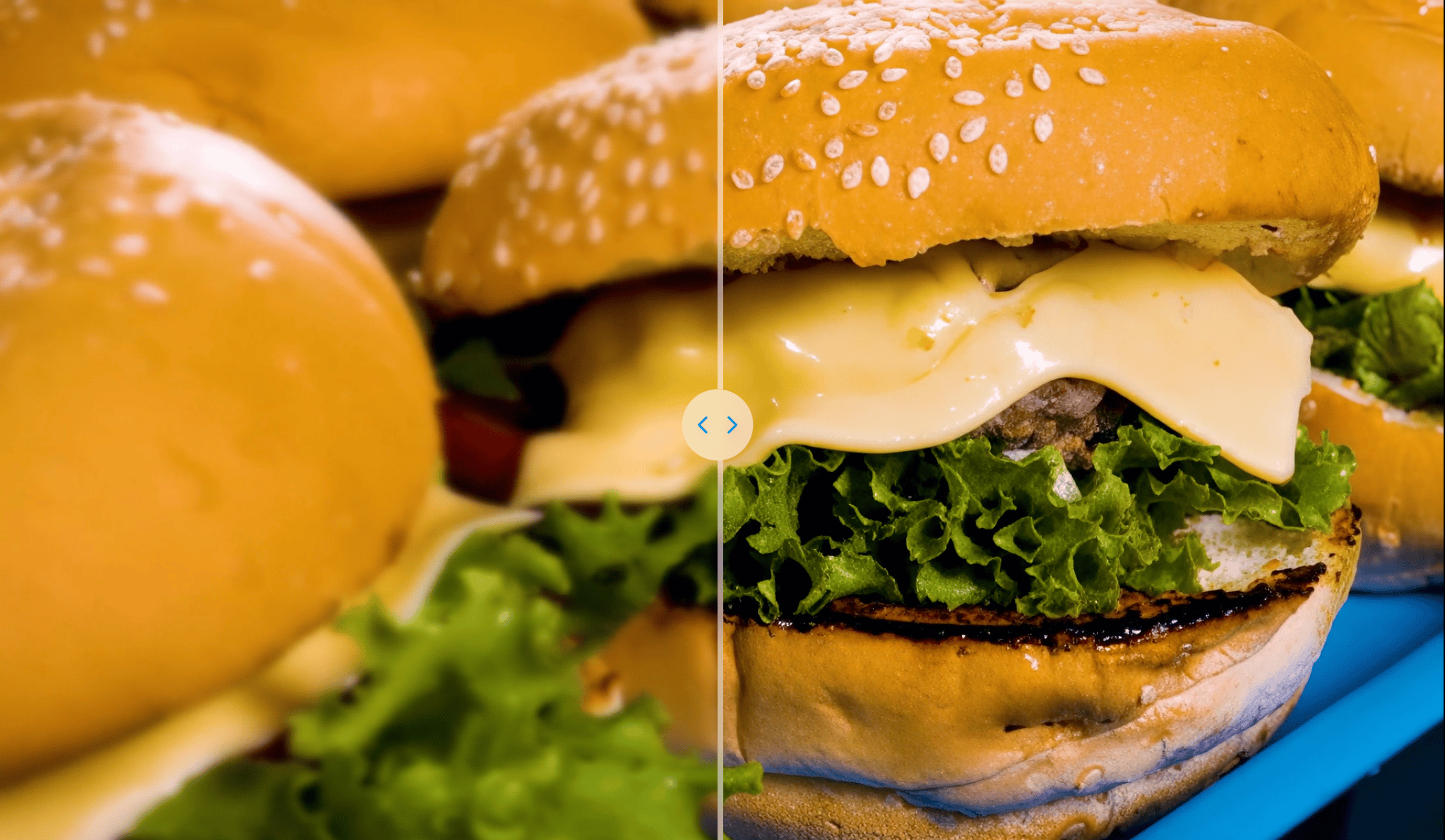
Fortunately, this is easy to fix.
You can upscale and sharpen your generated video using an AI video upscaler.
👉 Improve your video quality here: AI Video Upscaler
Upscaling can significantly improve clarity and make the ad look much more professional.
Many marketers also combine multiple clips to create a stronger ad structure:
Hook (first 3 seconds)
Product demonstration
Reaction or testimonial
Call to action
Even simple edits like trimming clips or adding subtitles can dramatically improve performance on platforms like TikTok or Instagram Reels.
Why Sora Videos Sometimes Look Blurry (And How to Fix It)
One question I hear a lot from people using Sora 2 is this:
“Why does my video sometimes look blurry?”
This is actually common with AI-generated videos, especially when scenes contain movement, lighting changes, or detailed environments.
In most cases, the blur happens for three main reasons.
1. The prompt is too vague
If the prompt doesn’t clearly describe the subject and environment, the AI has less information to work with.
For example:
Bad prompt:
“Create a product advertisement.”
Better prompt:
“A vertical UGC-style video of a creator applying a skincare cream in a bright bathroom with natural lighting, handheld camera, TikTok-style review.”
More detail usually produces better results.
2. The source images are low resolution
If you're using product images as input, their quality directly affects the generated video.
Higher resolution images usually produce clearer videos.
3. AI videos sometimes need post-processing
Even with good prompts, AI videos sometimes need small adjustments.
Using an AI video upscaler can significantly improve sharpness and overall video quality.
In my experience, combining strong prompts + good visuals + video upscaling produces the best results.
Example Sora 2 UGC Ad Prompts
Here are a few simple prompt structures you can experiment with when creating product ads.
Skincare Cream Advertisement
9:16 vertical format, handheld iPhone-style shot with subtle camera shake for authenticity. Start with close-up of a 25-year-old woman with natural makeup applying [Brand] moisturizer to her cheek, slow zoom out to medium shot showing glowing skin transformation. Warm natural lighting in bathroom mirror. 0-3s: Hook with finger dipping into jar, VO: 'This changed my dry skin overnight.' 3-7s: Side angle showing application, subtle smile. 7-10s: Front view reaction, excited eyes. Shallow depth of field, organic imperfections like slight blur.
Lipstick Advertisement
Hyper-realistic UGC style, 9:16 aspect, young female influencer in casual outfit sitting on bed, natural daylight from window. 0-2s: Close-up lips applying [Brand] matte lipstick, push-in camera. VO: 'Finally, a lipstick that lasts all day without drying.' 2-5s: Wide angle showing full face smile and head tilt. 5-8s: Side profile mirror check, subtle lip smack sound. End with product zoom. Cinematic color grade, no filters.
Phone Accessories Advertisement
Hyper-realistic, 9:16 aspect, young creator in urban park testing [Brand] phone case. Handheld tracking, sunny outdoor light. 0-2s: Drop test close-up, bounce effect. VO: 'Toughest case I've tried.' 2-5s: Medium shot attaching to phone, spin view. 5-8s: Wide angle walking with it, casual talk. Shallow focus on product.
Key Takeaways
UGC ads dominate modern advertising because they feel authentic and relatable.
Instead of polished commercials, they look like content created by real people.
Tools like Sora 2 make it possible to produce these ads faster than ever before.
The key is following a simple workflow:
- Prepare strong product visuals
- Write natural UGC-style prompts
- Generate multiple video variations
- Optimize and enhance the final ad
If you follow this process, you can create high-performing AI video ads in a fraction of the time traditional production requires.
And more importantly, you can test more ideas, iterate faster, and discover the creative that actually converts.
Seedance 2.0 vs Sora 2: Full 2026 AI Video Comparison
Sora 2 vs Kling 3: A Practical AI Video Generator Comparison (2026)
Can Sora 2 Generate NSFW Content? A Clear Guide on Safety, Limits & Responsible Use
What is Sora 2’s Content Moderation System? A Complete Guide
Sora 2 vs Veo 3.1: A Practical Guide to Choosing the Right AI Video Generator in 2026
How to Write Good Prompts for Sora 2: Step-by-Step Guide & Tips for AI Video Generation
Can Sora 2 Generate NSFW Content? A Clear Guide on Safety, Limits & Responsible Use
What is Sora 2’s Content Moderation System? A Complete Guide
Sora 2 vs Veo 3.1: A Practical Guide to Choosing the Right AI Video Generator in 2026
How to Write Good Prompts for Sora 2: Step-by-Step Guide & Tips for AI Video Generation
Recommended Reading
Read More
Seedance 2.0 vs Sora 2: Full 2026 AI Video Comparison
Seedance 2.0 vs Sora 2 in 2026: compare quality, control, audio, workflow, pricing, and use cases to choose the best AI video generator for your team.

Sora 2 vs Kling 3: A Practical AI Video Generator Comparison (2026)
A hands-on comparison of Sora 2 vs Kling 3, covering video quality, audio, motion, control, pricing, and real-world use cases for creators.

Can Sora 2 Generate NSFW Content? A Clear Guide on Safety, Limits & Responsible Use
Learn whether OpenAI’s Sora 2 can generate NSFW (Not Safe For Work) content, how its content moderation works, what is prohibited by policy, real-world risks, and compliant usage best practices.

What is Sora 2’s Content Moderation System? A Complete Guide
Discover how OpenAI’s Sora 2 content moderation system works to ensure safe, copyright-respecting, and compliant AI video generation. Learn moderation layers, rules, and tips.